Step by step
Start a request
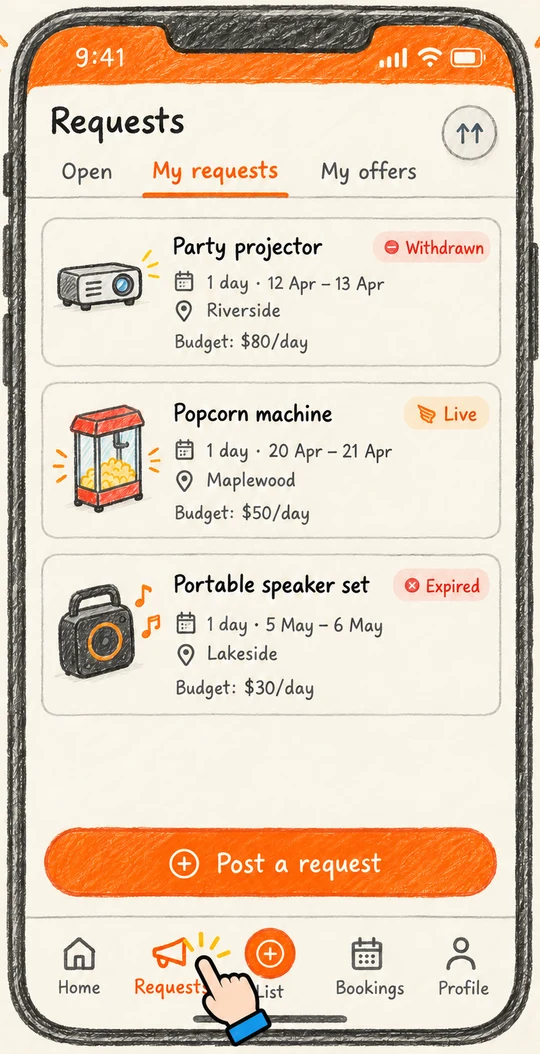
Tap the Requests tab, then Post a request. You will see the heading Tell us what you need.
Say what you are after
Under What are you looking for? type the item, for example 18V cordless circular saw. Be specific; brand or size helps owners know if theirs fits. Then choose a Category.
Choose how long and when
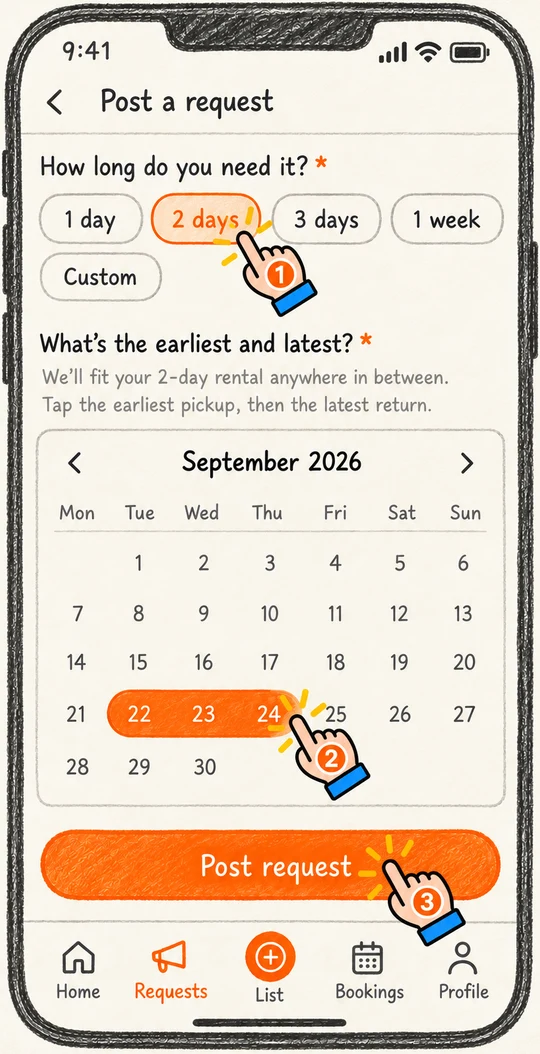
Tap a duration chip such as 2 days or 1 week, or type your own number of days. Then on the calendar tap the earliest day you could pick up, and the latest day you would return. A wider window means more owners can say yes.
Set your suburb
Your saved suburb is used automatically. Change it if you are collecting somewhere else.
Optional but worth it
Add a Description with what you are using it for, and a Daily budget. Requests with a budget get responses about twice as fast.
Post it
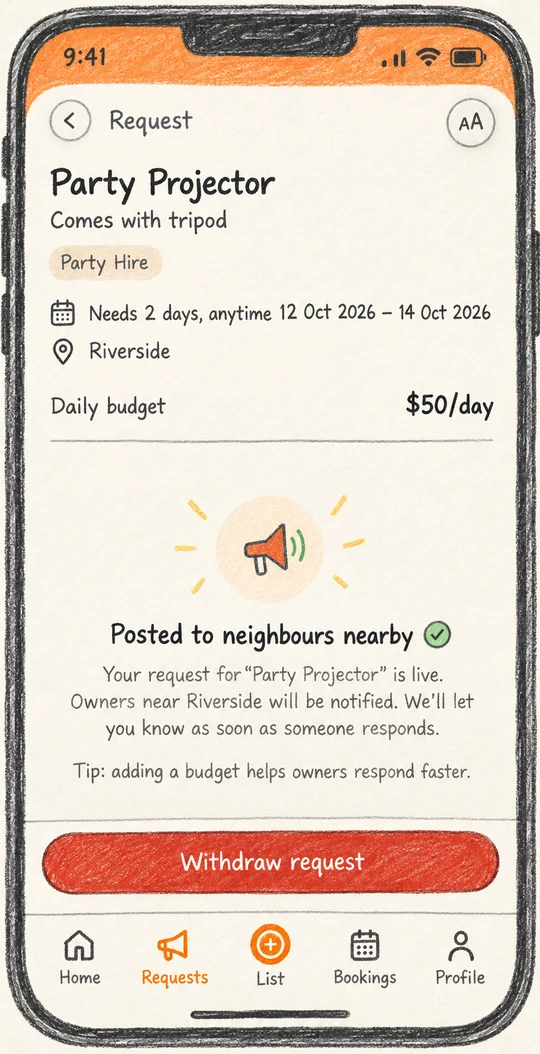
Tap Post request. You land on your request page. Nearby owners with matching items are notified within minutes.
What happens next
- Your request stays live to neighbours for 7 days.
- Owners respond with offers. Each one shows a daily price, the deposit, availability and a short note.
- You will get a notification for each offer. Compare them on the request page and pick one. See Book and pay for what happens then.
Ready to try it?
Open the appStuck or something looks different on your screen? Email support@hirehire.com.au and tell us what you were trying to do.