Step by step
Open Payments & Payouts
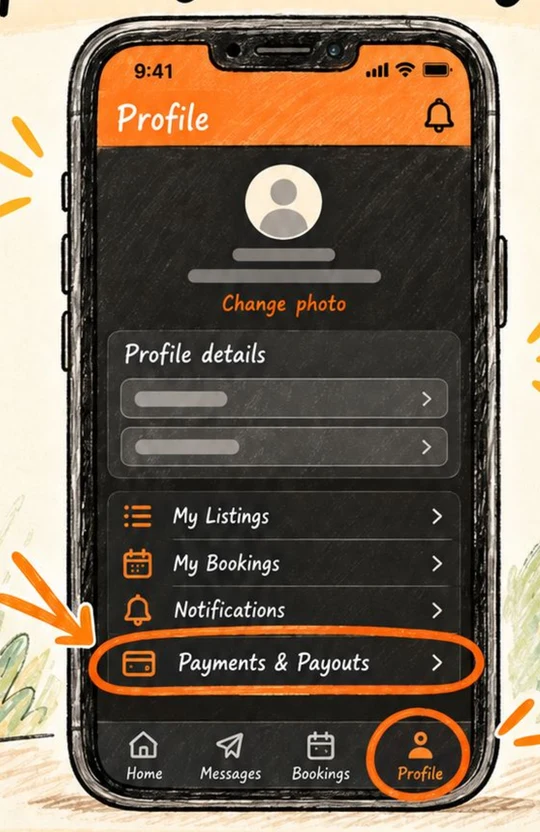
Tap the Profile tab, then Payments & Payouts.
Start the setup
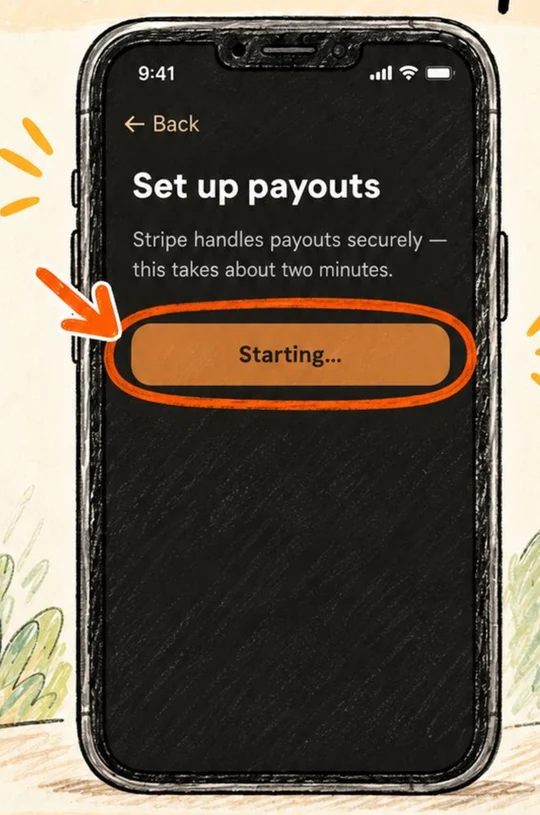
Tap Set up payouts. HireHire uses Stripe to handle payouts securely, and this takes about two minutes.
Sign in to Stripe
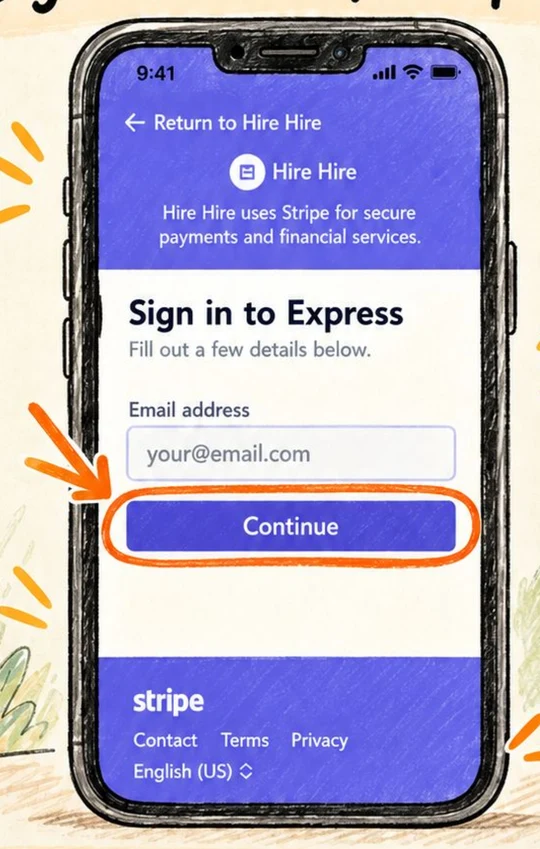
You are taken to a Stripe page. Enter your email address and tap Continue. Stripe links your setup to HireHire securely.
Verify your phone
Stripe texts you a code. Enter it to continue.
Add your details
Enter your legal name, date of birth and residential address exactly as they appear on your ID. For business details, add your website if you have one. If not, choose Add product description instead and write something simple like Hiring out household, garden and party items.
Add your bank account
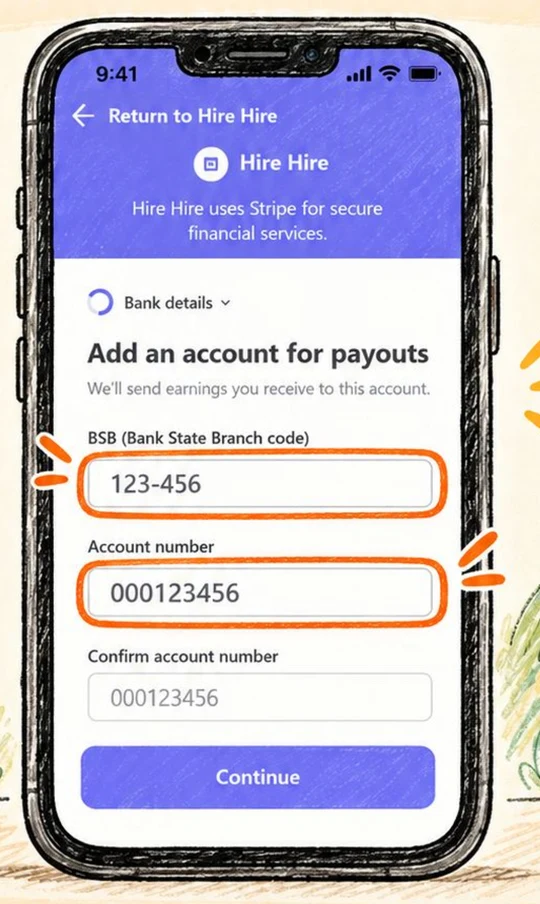
Enter your BSB and account number, then confirm the account number. Double-check them before you continue, because this is where your earnings are sent.
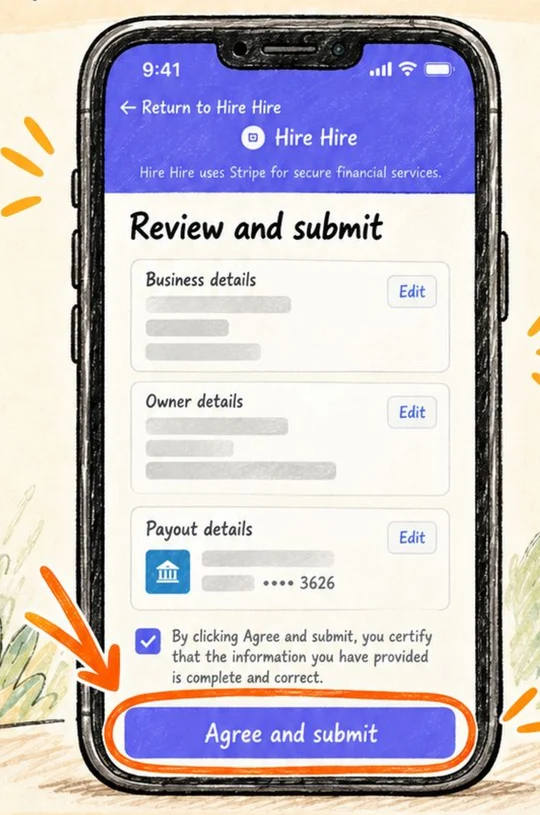
Review and submit
Check your business, owner and payout details. Use Edit to fix anything. When it looks right, tap Agree and submit. Your payout setup is complete.
If something does not match
Stripe checks your details against your ID. If it asks you to fix something, use the legal name and address on your official documents, then submit again.
Ready to try it?
Open the appStuck or something looks different on your screen? Email support@hirehire.com.au and tell us what you were trying to do.